
It's 9:47 on a Tuesday night. A dad in Scottsdale is sitting on the couch, phone in hand, trying to find a golf instructor for his eleven-year-old. He types "junior golf lessons near me" into Google Maps. Three names come up. He taps the first one — 4.9 stars, 23 reviews, photos of kids swinging clubs, a short paragraph about lesson philosophy. Taps the second — 4.2 stars, 6 reviews, no photos, no description, last activity 8 months ago. Doesn't tap the third at all.
You might be the third coach.
Not because you're a worse teacher. Because your Google Business Profile looks like you forgot it existed.
Why local search works differently than you think
Most coaches assume that having a website is enough. A parent will find the site, read about the coach, and reach out. That's the model a lot of people built their thinking around five years ago.
Here's what actually happens. When someone searches "golf lessons Scottsdale" or "junior golf instructor near me," Google shows a local map pack — usually three results — before any websites appear. Those three spots are driven almost entirely by the Google Business Profile, not the website underneath.
A 2026 study from BrightLocal found that the map pack drives more than 40% of clicks for local service searches. The website matters. But you can have the best site in your market and still be invisible if your GBP is thin.
The algorithm Google uses for local ranking runs on three inputs: relevance (does your profile match what they searched?), proximity (how close are you to the searcher?), and prominence (how active and credible does your listing look?). You can't move your range. But relevance and prominence are entirely in your control.
Categories — the one choice that shapes everything else
When you set up your profile, Google asks for a primary category. This is the highest-leverage single decision you'll make on the whole profile.
For a golf coach, the right primary category is Golf instructor. That category exists in Google's system and it's specific. Don't pick "Sports school" as your primary — that's too broad and you'll rank against tennis academies and martial arts studios. Don't pick "Golf club" or "Golf driving range" unless you're running the whole facility.
Golf instructor. That's your primary.
For secondary categories, "Golf driving range" makes sense if you have range access at your location. "Sports school" works as a secondary if you run a junior program or academy. You can add up to 9 total, but 2 or 3 strong ones beat 8 vague ones — Google has said as much, and category stuffing is a documented trigger for profile suspensions.
If you run a larger academy with multiple coaches, your primary is still Golf instructor. You can add "Sports school" or "Sports complex" as secondary to capture group-lesson and camp searches.
The 14-step setup walkthrough (with the screenshots most guides skip)
If you're starting from scratch — or rebuilding a profile that's been neglected — here's the full sequence, in order. Each step is a single action. Don't skip any.
- Go to business.google.com. Sign in with the Google account that should own this listing. Pick an account you'll keep. Delegating ownership later is fine, but transferring is friction.
- Search your business name. It may already exist as an unclaimed listing — particularly if you've been teaching at a public range or a club that listed itself. Claim the existing listing if you find it. Don't create a duplicate.
- Claim or create. "Claim this business" if it exists. "Add your business to Google" if it doesn't.
- Verify. Video verification is the 2026 default for most new listings. Record one continuous take that shows your location — the range entrance, your signage, you in the bay. One uncut take. 2-3 days to confirm.
- Set your primary category. "Golf instructor". Not "Sports school", not "Golf club".
- Add 1-2 secondary categories. "Golf driving range" if you teach at a range. "Sports school" if you run a junior program. Stop at 3.
- Address vs. service area. Fixed location → use the address. Mobile coach traveling between courses → set a service area. Don't do both — the service area overrides the address visibility.
- Hours. Set realistic windows. "By appointment" doesn't translate. Update holiday hours when relevant.
- Phone number. The number a parent can actually reach. Not Google Voice routed somewhere you don't check.
- Website link. Your real site. If you don't have one yet, this is the one missing field that's costing you the most — see the closing section.
- Description (750 characters). Write it like a human. The AI summary that replaced Q&A pulls from this directly — see the dedicated section below.
- Services. List each service you actually offer with a description and price range. Junior lessons, adult beginner, playing lessons, short game clinics. The AI summary cites these.
- Photos — at least 10 to start. Real photos, not stock. Five categories below in the photo strategy section.
- Set up your review-request system. Generate your direct review link from the dashboard, save it to your phone as a text shortcut, and read the April 2026 policy section before you ask anyone.
That's the setup. Steps 1-4 take about 30 minutes plus 2-3 days of verification waiting. Steps 5-14 take roughly 90 minutes if you have your photos and copy ready. Reserve a Tuesday morning before lessons start.
Setting up your profile so Google notices you
If you haven't claimed your listing yet, go to business.google.com. Search your business name — it may already exist as an unclaimed listing. Claim it. If it doesn't exist, create one.
Verification in 2026 defaults to video for most new listings. You'll record a continuous take that shows your location — the range, the entrance sign, a live action on your profile. One uncut take. It usually takes 2-3 days to confirm.
Once you're verified, fill in every field. Not some. Every one.
Business name: Your actual name or your academy name. No keyword stuffing ("Phoenix Junior Golf Lessons by Mark Smith" is against Google's guidelines and can get you suspended).
Address or service area: If you teach at a fixed location (a range, a club, your academy), use the address. If you travel to courses or teach at multiple facilities, set a service area instead of a physical address. Misclassifying here is one of the most common suspension causes.
Hours: List real hours. "By appointment" doesn't translate well into Google's format — set the realistic windows when you're reachable. Update holiday hours when relevant. When your hours say "Open now" during a search, it matters.
Phone number: The number where parents can actually reach you. Not a Google Voice number buried somewhere.
Website link: Your actual site. If you don't have one, we'll come back to that.
Description (750 characters): Write this like a human. "I'm a PGA teaching pro specializing in junior development and beginner adults. I teach at [Range Name] in [City]. Lessons for all skill levels, 7-day scheduling." That's better than four sentences of generic marketing copy. Google surfaces the description in AI-generated summaries — thin or keyword-stuffed descriptions get unfavorable treatment.
Services: List your actual services. Junior lessons, adult beginner lessons, playing lessons, short game clinics. Each one can have a description and a price range. Fill them in. These feed directly into the AI summaries Google generates when someone asks a conversational query like "who teaches junior golf lessons near me."
The photo strategy that gets clicks
Profiles with photos get 42% more direction requests and 35% more website click-throughs than profiles without, according to Google's own data. The parents comparing you to two other coaches on Tuesday night are making a split-second judgment. Photos are the fast signal.
Here's what works:
On-course or on-range action shots. A coach standing next to a student mid-swing. The range in the background. Sunlight. This says "I actually teach here" in a way no text can.
The feedback moment. Coach and student looking at a phone or a tablet together, reviewing swing video. This signals you're modern, you use technology, you take the lesson seriously.
The group angle. If you run junior clinics, one photo of four kids lined up on the range with their clubs is worth three solo shots. It tells the visual story of a program, not just a solo coach.
Your headshot at the range. Not a corporate headshot. You at your location, casual, approachable. Parents booking for their kids want to feel like they know who's going to be with their child.
Student progress. A before/after or a milestone moment — a kid's first time hitting a driver, a student holding a junior tournament trophy. Anything that shows outcomes, not just activity.
Upload at least 10 photos when you first set up the profile. Then add one or two every month. Google's algorithm treats a profile with recent photo activity as more prominent than one that hasn't been touched in six months.
Video is also supported — up to 30 seconds, 720p minimum. A short clip of a lesson drill or a junior group session works well. Keep it landscape for best placement.
Posts and updates — the cadence that moves prominence in 2026
Posts are the most underused part of the Google Business Profile. Most coaches don't post. The ones who do post mostly post once when they set up the profile and then never again. That's the gap.
Each post can run up to 1,500 characters and stays live indefinitely until you delete it. Recent post activity feeds into the prominence factor — meaning a profile that publishes once a week ranks measurably higher than an identical profile that hasn't posted in six months. Same coach, same reviews, same photos — the post cadence is the difference.
There are four post types, and three of them matter for coaches.
What's new — your default post type. Camp dates, schedule changes, a recent client win, a seasonal note ("range still open through November"). 90% of coach posts should be this type.
Event — for specific dates: a junior camp, a clinic, a guest-instructor week. Has start/end fields. Worth using when the date is fixed.
Offer — a discount or promo with start/end dates. Useful for a 4-lesson intro package, a junior camp early-bird rate, or a referral discount window. Don't run an Offer indefinitely — Google deprioritizes posts that look like permanent promotions.
Product — least useful for coaches. Built for retail. Skip unless you're selling a specific item (a training aid, a book, a course).
The cadence that moves prominence: one post per week during your active signup window (January-March for spring junior camps, August-September for fall lessons, November for winter range work). Monthly posting is the baseline. Weekly is the difference between average and visibly active.
The AI summary that replaced Q&A in November 2025
Google discontinued the Business Profile Q&A feature on November 3, 2025. The API was discontinued the same day. Public deprecation began December 3, 2025. Sources: Footbridge Media and Accrisoft Corporation.
What replaced it is more important than what it replaced.
The replacement is "Ask Maps" — an AI summary that generates answers to parent questions on the fly. When a parent searches "do they offer junior lessons" or "how much does a beginner lesson cost," the AI no longer pulls from a Q&A you wrote. It pulls from your description, your services list, your posts, your reviews, and citations across the web. It composes a one-paragraph answer and shows it at the top of your profile.
The implication for coaches is sharp. The description and services fields used to be background material — most coaches wrote them once in 2022 and haven't touched them. Now they're the AI's source text for answering parent questions in 2026. If your description says "Golf instructor offering quality lessons for all skill levels," the AI has nothing specific to cite when a parent asks "do they teach beginners?"
Two things to do this week:
- Read your current description out loud. If you can't tell a parent what's specific about your teaching from the words on the screen, the AI can't either. Rewrite it to name the audience, the location, and one specific thing you do well.
- Fill out every Services entry with a description. Each service has a 1,000-character description field that most coaches leave blank. The AI cites this. "Junior lessons (ages 7-14): one-hour sessions at [Range] focused on grip, posture, and developing a repeatable swing — first lesson includes a free swing video sent home" beats "Junior lessons available."
Reviews — getting them, responding, using them
The number of reviews you have, the recency of those reviews, and whether you respond to them all feed into Google's prominence calculation. A profile with 4 reviews and a 5.0 average will usually rank below one with 28 reviews and a 4.6 average. Volume and recency matter more than perfection.
Getting reviews: The easiest and most reliable method is the direct ask, right after a good session. "Hey, if you've got two minutes, a Google review would really help me out — I'll text you the link." That's it. No elaborate email sequence. The conversion rate on a direct in-person ask beats a follow-up email by a wide margin.
You can generate your direct review link from your GBP dashboard. Send it via text immediately after the session, while the experience is fresh. When you're ready to build out a more systematic approach to asking for testimonials, this guide on getting golf lesson reviews walks through the full process.
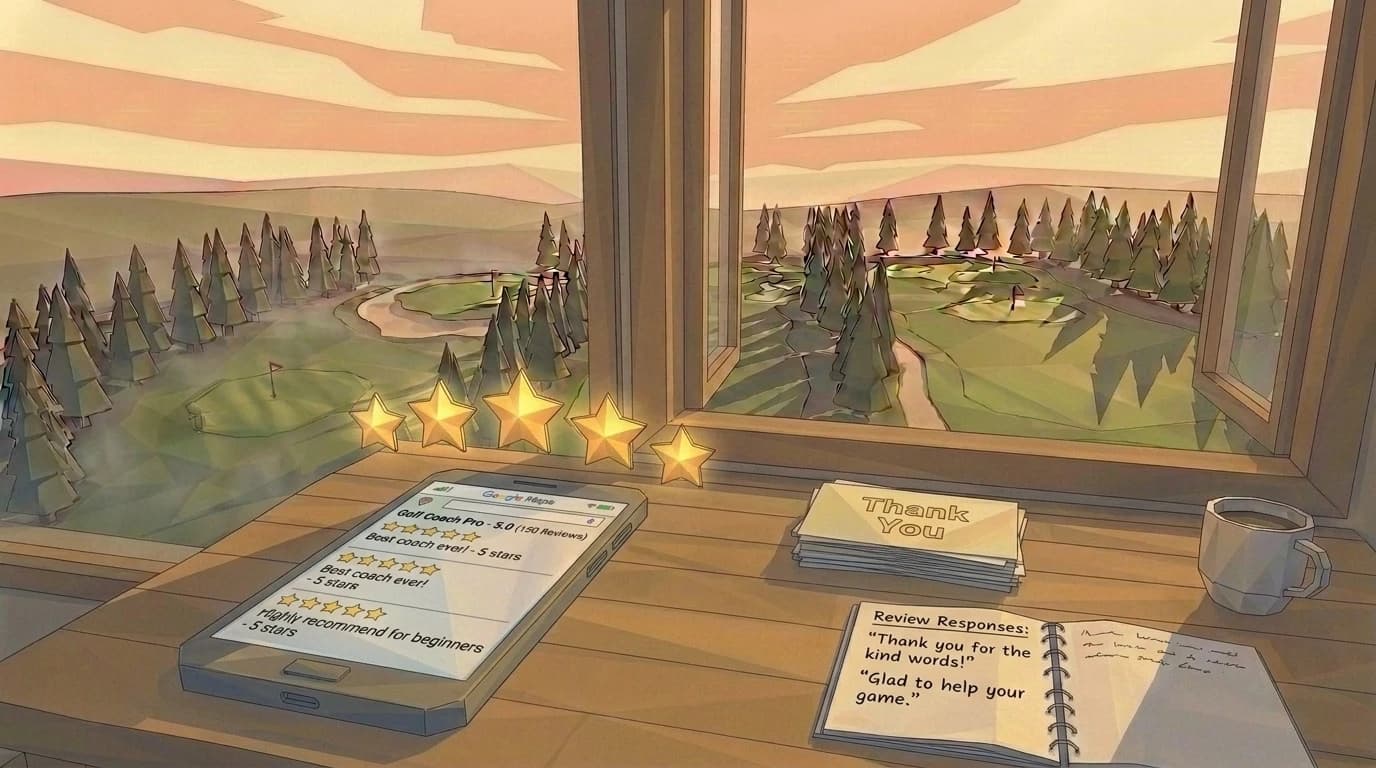
Responding to reviews: Respond to every one. Positive reviews, brief thank-yous with a specific callback to what they mentioned. Negative reviews — respond within 24 hours, stay calm, acknowledge the issue, take it offline. Don't argue.
Aim for 2-3 sentences in each response. Use the reviewer's name if it's visible. Google indexes your responses, so naturally mentioning what you teach and where ("Thanks for the kind words about the junior swing fundamentals sessions here at Desert Springs Range") adds a small but real SEO signal.
One thing coaches miss: responding to positive reviews at all. It feels unnecessary. But 97% of people read review responses — your reply is visible to every future parent who clicks on your profile.
The deeper version of this — the timing, the script, the response habit — lives in the reviews playbook in detail.
The April 2026 review policy update — what changed
On April 17, 2026, Google rewrote the review-solicitation policy. The new rules are stricter than the old ones in three specific ways. Sources: Mainstreethost and Digital Shift Media.
What's now banned:
- Per-coach quotas. "Get me 5 reviews this month" as a team or self-imposed target — flagged.
- Specific-content asks. "Mention my name" or "say something about the junior program" — flagged. Asking is fine. Asking for specific content is not.
- On-premises pressure. A tablet at the range with a "leave us a review" prompt, a QR code on the bay door, a sign in the lesson area — flagged as pressure. The review has to feel voluntary.
What's still allowed:
- The in-person ask. "If you have a couple of minutes, a Google review would really help" — fine.
- The post-lesson SMS. A text with your direct review link, sent within a day or two of a good session — fine.
- A line on your booking confirmation. A subtle "if your lesson was great, a review helps other parents find me" — fine.
- An email to past students if it's natural, infrequent, and doesn't include a specific-content ask.
Consequences of violation are real: account suspension, review filtering (Google removes the violating reviews from your visible count), and prominence-factor penalties. The big ones (suspension) are rare. The small ones (filtering) happen quietly and most coaches don't notice until they realize their visible review count went down.
The rule of thumb post-policy: ask the way you'd ask a friend, and ask infrequently. The April 2026 update isn't punishing legitimate review-getting. It's punishing the playbooks where every customer interaction ends with a review prompt.
Mistakes that bury you below the mediocre guy in town
Name stuffing: Adding your city, specialty, or keywords to your business name field ("Mark Smith Golf Lessons Phoenix PGA"). Google's guidelines explicitly prohibit this. It's also a suspension trigger. Your business name is your business name.
Ignoring the description: Leaving it blank, or filling it with something generic, means Google's AI summaries have nothing useful to pull from. Thin profiles get thin summaries.
Wrong service-area setup: If you teach at a range and also set a service area, the service area overrides your address visibility. Pick the model that matches how parents actually come to you.
No photos: A profile with zero photos in 2026 reads as abandoned. Parents will pass.
Asking for reviews in bulk: Sending a mass email to 50 past students asking for reviews looks like review manipulation. Google filters these. Ask one person at a time, in context.
Letting it go stale: GBP isn't a set-it-and-forget-it tool. An active profile — recent photos, responses to reviews, updated hours — outranks a dormant one. Fifteen minutes a month is enough to stay current. The broader local SEO walkthrough for coaches is at the Cluster E pillar on local SEO, and the prominence factor specifically gets a deeper treatment at the prominence-factor deep dive.
The Performance dashboard — what to watch in 2026
Once your profile is set up, the Performance tab in business.google.com is where the data lives. Most coaches glance at it once and never come back. The five metrics worth watching:
- Calls — direct phone calls from the profile. The cleanest intent signal you have. A coach getting 3-5 calls a week from GBP is in the local pack consistently.
- Messages — texts via the GBP chat feature. Lower volume than calls, higher conversion when they happen.
- Direction requests — parents tapping "Directions" to your range. Strong intent signal for in-person coaches; less useful if you teach at multiple facilities.
- Website clicks — taps on the website link from your profile. The bridge to your /book page. Website clicks divided by total profile views = your click-through rate. 8-12% is healthy.
- Search-query breakdown — the actual queries that surfaced your profile. "Mark Smith golf" is a branded query (good — it means parents already know your name). "Junior golf lessons near me" is a discovery query (better — it means GBP found you for a parent who didn't).
New in 2026: AI search exposures — how often your profile was cited in an Ask Maps AI summary. This metric was added when Q&A was discontinued. Watch the trend; it's the new prominence proxy.
The 90-day trend matters more than any single week. If calls + direction requests + website clicks are trending up over 90 days, your changes are working. If they're flat, your prominence factor isn't moving — usually because the photos / posts / reviews cadence has stalled.
The 2026 ranking factors — Whitespark's local pack breakdown
Whitespark's 2026 Local Search Ranking Factors study (summarized via advicelocal.com) puts numbers on each input. The breakdown:
| Factor | 2026 weight | What to do |
|---|---|---|
| GBP signals | 32% | Complete every field; primary category = Golf instructor |
| Review signals | 20% | 20+ reviews, respond to every one |
| On-page signals | 15% | Match your GBP city + service to your website page |
| Behavioral signals | 9% | Clicks, calls, direction requests = higher rank |
| Link signals | 8% | A handful of legit local backlinks |
| Citations | 6% | NAP consistent across Apple Maps, Bing Places, Facebook |
| Personalization | 6% | Out of your control |
| Social signals | 4% | Lowest priority — don't chase it |
The 32% GBP signal is the biggest single lever, and it's the one most coaches haven't fully pulled. Half of "complete every field" is the field-by-field walkthrough above. The other half is keeping the profile active — posts, photos, responses, hours updates — so that the prominence factor compounds.
The city-pages decision — when to build a /city page on your website to capture the on-page signal weight — is the matching website-side play.
The 30 percent problem
Here's the honest framing. Your Google Business Profile is roughly 30% of the local search equation. It can put you in front of that Scottsdale dad when he opens Google Maps at 9:47 on a Tuesday.
But once he taps your name and clicks through to your website — that's the other 70%. A slow site, a confusing layout, no clear "book a lesson" path: you had him and then you lost him. The GBP gets the click. The website closes it.
That Tuesday night dad searching for his eleven-year-old's coach? He found the first coach's name on the map. Clicked through to a clean, fast site with a simple booking form. Sent a message. Got a response by 10am Wednesday.
You can be that coach. Start with the profile. Then make sure the site behind it is worth clicking. The website side of the local-search problem walks the spec we ship every coach. Even online coaches need local visibility is the version of this question for fully-remote practices — yes, GBP still matters even when you don't teach in-person.
Frequently asked questions
Frequently asked questions
Go to business.google.com, search your name, claim or create the listing, set primary category to 'Golf instructor', verify (most likely via video in 2026), and fill every field. The 14-step walkthrough above covers each action in order. Reserve a Tuesday morning before lessons start — setup plus content takes about 90 minutes once you have your photos and copy ready, with a 2-3 day verification wait in the middle.
Yes. There is no paid tier. Google does not charge for GBP. Anyone asking for payment to 'manage' your GBP is selling a service, not Google access. The service can be worth paying for if you don't have time to manage the profile yourself — but the platform itself is free, and most coaches can run their own profile in 15 minutes a month.
In 2026 priority order: GBP signals (32% weight — complete every field, post weekly), review signals (20% — get to 20+ reviews and respond to every one), on-page signals (15% — your website mentions the city + service in titles and headings), and behavioral signals (9% — clicks, calls, direction requests, all of which compound when the first three are right). Link signals are 8% and outside most coaches' core priorities.
Google discontinued Q&A on November 3, 2025. The replacement is an AI summary called 'Ask Maps' that generates answers from your description, services, posts, reviews, and citations. You no longer answer questions directly — you write the source material the AI quotes from. The practical implication: most coaches' descriptions were written in 2022 and never updated. Those 2022 paragraphs are now the AI's source for 2026 parent questions. Rewrite the description if you haven't touched it since you set the profile up.
Weekly during signup or marketing windows (January-March for spring junior camps, August-September for fall lessons). Monthly minimum baseline year-round. Posts have a 1,500-character limit and stay live indefinitely until you delete them. Recent posts signal an active profile, which feeds the prominence factor — the 32% lever in the Whitespark 2026 ranking-factor breakdown.
Likely one of: not yet verified; primary category too broad ('Sports school' instead of 'Golf instructor'); address/service-area misconfigured (set both and the service area overrides the address); under 5 reviews and competing against profiles with 30+; or suspended for a guidelines violation. The most common suspension cause is keyword stuffing in the business name ('Mark Smith Golf Lessons Phoenix PGA' triggers it). Check the Performance tab for any policy notices.
Yes, after April 2026. Google's updated policy bans per-coach quotas, specific-content asks ('mention my name'), and on-premises pressure (tablets, QR codes on bay doors, sign in the lesson area). What's still compliant: the in-person ask after a session, an SMS with your review link sent within a day or two, and a subtle line on your booking confirmation. The penalty is usually review-filtering rather than suspension — Google quietly removes the offending reviews from your visible count.
Yes. Whitespark's 2026 data shows on-page signals are 15% of local pack weight on top of GBP's 32%. Without a website, you're competing for the 32% only — and the AI summary that replaced Q&A also cites your website content when it's available. Coaches with websites where the city + service appear in the headings and the page title rank measurably higher in the local pack than coaches with GBP-only setups.
Last updated .
Keep reading


Ready for the part where the website gets in your way?
Two to three weeks from signup to live. No setup fee. 1-year minimum, then month-to-month.