A parent pulled up your website Tuesday night, sitting at the kitchen table after her eight-year-old's first clinic. A friend at the club had mentioned your junior academy. She typed your name into Google, found the site, and the first thing she saw was a photo of a 40-something man mid-backswing with copy that read "Take your game to the next level." She scrolled for 30 seconds. Didn't find the word "junior" anywhere above the fold. Closed the tab. Gone.
That's not a hypothetical. That's Tuesday.
Why mixed-program sites leak prospects
Most golf coaches who teach both juniors and adults build one website, write it for whoever they're thinking about at that moment, and end up with something that speaks clearly to neither. It's not laziness — it's just hard to hold two entirely different readers in your head at once.
Here's the problem: parents and adult learners are scanning for completely different signals within the first 8 seconds.
A parent landing on your site is asking three questions before she reads a word of copy: Is this safe? Is this age-appropriate? Is there a structured program, or is it just the coach fitting my kid in between adult lessons? She's looking for photos of juniors, language about age groups, maybe a curriculum. If she lands on a site that looks like it was built for a 45-year-old executive who wants to finally break 90, she assumes you don't really do juniors — or worse, that her kid would be an afterthought.
An adult beginner has a different fear. He clicked on your site because someone recommended you. But if the first three photos show kids with half-swing clubs and the headline says "Junior Academy," he wonders if this is even the right place. He doesn't want to be the oldest student. He's already self-conscious enough about starting golf at 38. He'll leave and find someone who seems to speak to him directly.
The irony is that both programs could be excellent. The website just didn't know which door each person was supposed to walk through.
When to split the audiences (and when one site works)
The instinct after reading the section above is to immediately split the site into two. Most coaches don't need to. One site with two clear front doors handles 90% of mixed-audience practices. The full-split decision is a real one, but it's a smaller real than coaches assume.
Three signals say split. One signal says don't.
- Your revenue split is 50/50 or closer. If juniors are 60%+ of revenue and adults are the remainder, one site with a junior-led front door works. Same the other way. Once the split is genuinely even, the site has to give each audience equal weight from the homepage down — and that's hard to do without splitting.
- The two programs run on different calendars. Junior camps in summer, adult clinics on weekday evenings — that's not a calendar split, that's normal seasonal variance. A real split is when the operations look fundamentally different — junior weekly programming for the school year vs. adult lesson packages booked one at a time. The shared inventory question gets messy on one site.
- Parent emails outpace adult-learner emails 2:1 (or vice versa) and the language register is breaking the site. When the parent-concern register and the adult-learner register actively fight each other across your homepage, splitting is cheaper than rewriting around the conflict every six months. We've watched this happen on intake calls. Once the coach starts apologizing for the homepage in one direction or the other, splitting is the answer.
The case where one site is enough — and this is the honest admission — is when 80%+ of your revenue lives on one side. If you teach 1-2 adults a year as exceptions to a junior practice, you don't need a full adult page. You need a single line in your About that says you take adult students by referral. Don't build a parallel program structure for a side business that doesn't exist.
For coaches running a junior program as the core of the business — not as one of two equal product lines — the playbook for junior coaches running their own programs is the cluster D pillar. It's the version of this conversation that assumes juniors are the whole thing.
The navigation question: one site, two entry points
You don't need two websites. You need one site with two clear front doors.
The simplest pattern that works: a homepage that acknowledges both programs plainly, with two distinct paths. Not a dropdown with 8 items. Not a single "Programs" page that lists everything in one long scroll. Two clear calls to action, ideally above the fold — "Junior Programs" and "Adult Lessons" — each going to its own dedicated page.
Once a visitor clicks through their door, everything on that page should speak only to them. The junior page lives and breathes for parents of 7-to-17-year-olds. The adult page is written for the beginner, the returning player, the corporate group. They don't need to know about each other.
This matters more on mobile than anywhere else. On a phone screen, a visitor makes the "is this for me?" decision in about 3 seconds. If your navigation forces them to hunt, they won't. The two-path structure works because it respects that decision moment.
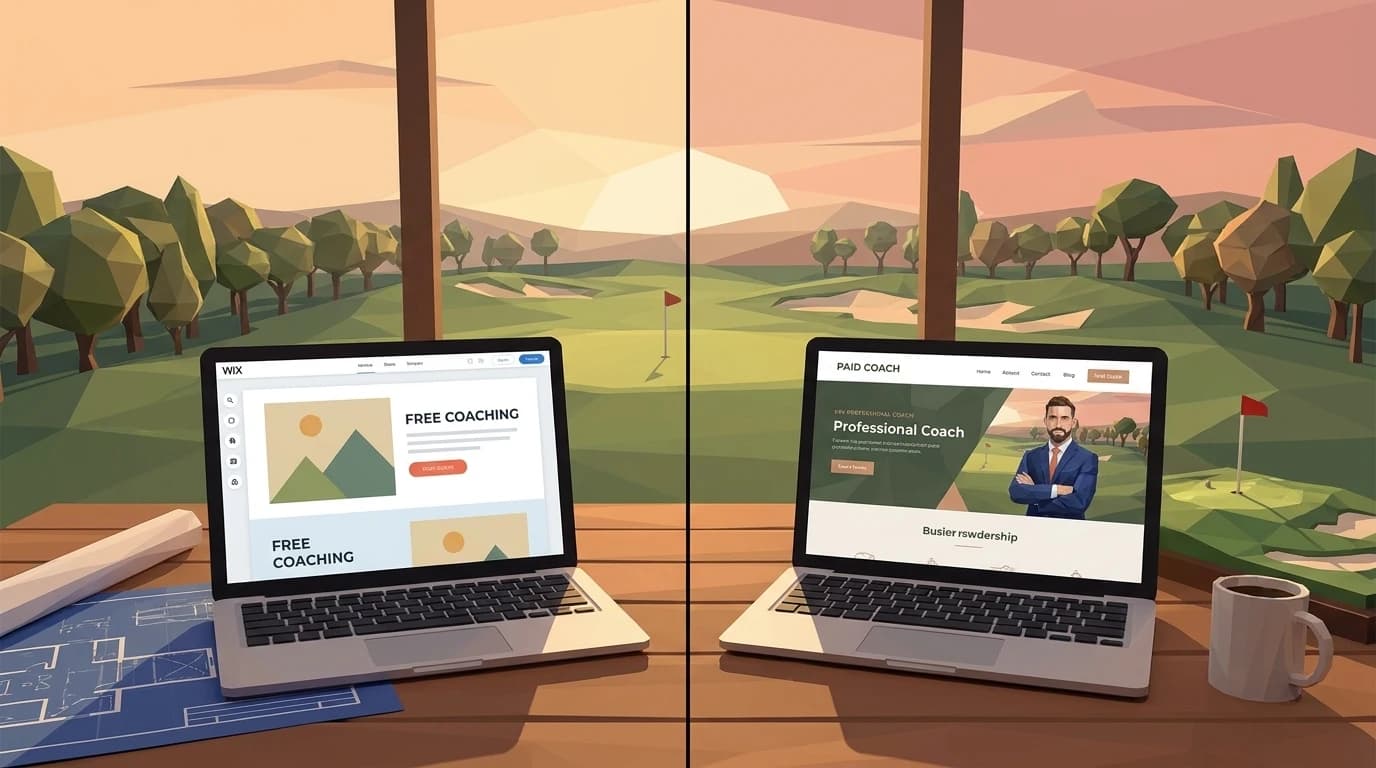
A secondary nav structure that also works well: a single "Programs" top-level link that opens to a clean split-screen landing — junior on the left, adult on the right, each with its own visual and a brief 15-word description. That split-screen acts as a human sorting mechanism. Visitors self-select, then get a focused experience from that point forward.
What doesn't work: a "Programs" dropdown that lists "Junior Group Clinics," "Junior Private Lessons," "Junior Summer Camp," "Adult Group Lessons," "Adult Private Lessons," and "Adult Playing Lessons" all at once. That's not navigation — that's a menu at a diner that hasn't been edited since 2004. It overwhelms. It makes you look unfocused.
Navigation patterns — the 4 layouts coaches actually ship
Beyond the simplest "two homepage CTAs" pattern, there are four layouts mixed-audience coaches ship in the wild. We've built versions of three of them. We've talked coaches out of the fourth. Here's the honest version of which fits which situation.
| Pattern | What it looks like | Best for |
|---|---|---|
| (a) Two homepage CTAs side-by-side | Two big buttons above the fold — "Junior Programs" and "Adult Lessons" — each going to a dedicated page | The most-shipped pattern. Solo coach or small academy with both audiences. Default unless something blocks it. |
| (b) Split-screen "Programs" landing | Single nav item, "Programs," opens to a left/right split landing with one visual and a 15-word description per audience | Coaches who want a cleaner top nav. Adds one click but reduces homepage clutter. |
| (c) Audience-toggle in the hero | Hero section has a small toggle ("I'm a parent" / "I'm a learner") that swaps the headline, photo, and CTA inline | Rare. Complex to build. Increases mobile friction. We recommend against unless the brand truly has equal-weight audiences and the toggle is a brand decision. |
| (d) Two subdomains | junior.yoursite.com and adults.yoursite.com (or two separate domains entirely) | Academies only — and only when the operations are genuinely separate. Two domains means two SEO profiles, two analytics setups, two booking systems. Don't ship this for a solo coach. |
For coaches building a multi-coach academy where each coach has their own audience focus — junior coach + adult coach as separate brands under one academy — the structural difference for solo vs academy coaches is the sibling cluster A retrofit. The decision logic is different when you've got multiple coaches running different programs.
Writing for two audiences without sounding schizophrenic
The mistake coaches make is writing the whole site in one voice and assuming visitors will self-select the relevant parts. They won't. They'll just feel like the site isn't talking to them.
Parent-facing copy has to address the actual concerns parents carry. Structured progression — "your kid will move through these stages" — matters enormously. Safety signals: who supervises, what's the ratio, are there skill-level groupings so your beginner isn't hitting next to a 14-year-old junior state champion. Age groups stated plainly. And testimonials that come from other parents, not from adults who improved their handicap.
Adult-learner copy has a different emotional center. The dominant fear isn't safety — it's wasted time and looking foolish. "How long before I can actually play a round?" is the question every adult beginner has in the back of their mind. Your adult-focused pages should answer that honestly. They should also address time commitment directly: "We work around your schedule" or "most of my adult students come once a week" is more reassuring than generic language about flexible programming.
For the adult returner — someone who played in college and is picking it back up — the fear is regression, not starting from scratch. They want to know you can diagnose what's wrong, not just teach fundamentals. Different copy again.
One more thing about copy: don't let the tone on your junior pages bleed into your adult pages. Parents respond to warmth, structure, community. Adult learners respond to directness, expertise, and honest expectations. The same coach voice can do both — it's just a different register. Think about how you actually talk to a parent at a junior clinic versus how you talk to the adult who books a first lesson. You adjust naturally in person. Your site should do the same.
For more on how these audience splits affect your homepage structure, see the golf coach homepage guide.
Pricing transparency: why the rates have to be separate
Junior pricing and adult pricing are structurally different. Group clinics for juniors run differently than adult group lessons — different ratios, different session lengths, often different billing cycles (packages, summer camps, monthly memberships). If you list everything on one pricing page, you create confusion that costs you inquiries.
Give each program path its own pricing section. Don't hide junior rates two clicks deep and then wonder why you're still getting emails asking "how much are lessons?"
If there's a reason juniors are priced lower than adults — group economics, shorter session length, development-model philosophy — say so briefly. Parents don't resent paying less; they resent not understanding the logic. Transparency here builds trust faster than almost anything else on your site.
And if you offer discounted sibling rates or family packages, that's a genuine hook for parents. It belongs on the junior pricing page, not buried in an FAQ.
Pricing pages — when to show both audiences different rates
The split-pricing-versus-combined-pricing question is where most coaches lose 20 minutes of design time and ship a compromise that hurts both audiences. The honest version of the decision tree.
Split pricing pages help when the package logic is genuinely different. Junior packages run on summer-camp blocks, school-year membership cadence, sibling discounts, family rates. Adult lessons run on per-lesson or 5/10-pack pricing, with corporate-group rates for office events. Try to put both on one page and you end up with footnotes explaining why a 6-week junior block is $360 and a 6-lesson adult package is $540. Nobody reads those footnotes. Everybody emails to ask.
Combined pricing pages work when the practice is small, the package logic is shared (same per-lesson rate, same package tiers), and the only audience-specific note is a single line — "junior group clinics: $35/student/session, ages 6-17." That's not really combined pricing. That's adult pricing with one junior bullet. If you can't make it that simple, split.
If you're charging $80 for adults and $35 for juniors, the same page makes both look wrong. The adult learner sees the $35 junior rate and quietly wonders if $80 is fair. The parent sees the $80 adult rate and quietly wonders why the kids' rate is so much lower (is the junior coaching not as good?). Both questions evaporate when the rates live on different pages built for different readers.
| Pricing dimension | Split pricing pages | Combined pricing page |
|---|---|---|
| Best for | 50/50+ revenue split, distinct programs | Solo coach, simple shared package logic |
| Junior packages clarity | High (own page, parent-focused copy) | Low (mixed with adult rates) |
| Adult per-lesson clarity | High (own page, learner-focused) | Medium |
| Sibling/family discount visibility | Easy (junior page only) | Hard (footnote risk) |
| Maintenance overhead | Two pages to update on rate change | One page |
For the deeper version of how pricing structure ties back to the rest of the site — what $99/month buys when we handle the build, the hosting, and every change request — the team's full pricing math walks the line items.
Testimonials that don't accidentally exclude people
A testimonial from a parent about her son's improvement is gold for any parent landing on your junior page. It means almost nothing to the 45-year-old adult beginner.
This is why your testimonials need to live on the pages that match them. Parent testimonials on the junior pages. Adult-learner testimonials — especially from beginners — on the adult pages. A testimonial from someone who was a nervous beginner at 50 and now plays twice a week is one of the most persuasive pieces of content you can put on an adult lessons page.
For practical advice on how to gather and use testimonials for both audiences, the guide on how to ask for golf lesson testimonials walks through this.
Don't mix them. A parent reading a testimonial from a 52-year-old about lowering his handicap will wonder if this is really a junior-focused operation at all. It's not the testimonial's fault — it's placement.
Junior page vs adult page — what each one needs to do
Once you've got the navigation right, the individual program pages have to do real work. Not just describe the program — answer the questions that are already running through your visitor's head before they know enough to ask them.
A junior program page needs: the age range you work with (be specific — "ages 6-17" is less useful than "separate groups for 6-9 and 10-14"), what a typical session looks like, how long the program runs, what equipment a child needs on day one, and what parents do while lessons are happening. That last one might surprise you, but a parent who wonders whether they wait in a parking lot or can watch from a designated area is more distracted by that question than you'd expect. Answer it proactively.
An adult lessons page needs something different. It needs honesty about the timeline. "Most beginners can play a casual round within 6-10 weeks of consistent weekly lessons" is more useful than "we'll get you playing in no time." Specificity builds credibility. It also needs to address the elephant in the room for adult beginners: the lesson format. Is it one-on-one? Small group? Will they be hitting in front of other students? Will there be video analysis? These aren't trivial questions. They're what the person is quietly running through before they decide to click "book."
A page that answers those questions without making the visitor feel like they have to ask is a page that converts. A page that reads like a brochure paragraph leaves them with questions — and people with unanswered questions tend not to book.
Photography: the fastest signal of all
Before a visitor reads a word, they've already formed an impression from your photos. This is the part of the site that either confirms "yes, this is for me" or triggers a quiet exit.
On your junior pages, photos should show juniors — obviously. But specifically, juniors who look like the age group you're targeting. If you run clinics for 7-to-10-year-olds, photos of teenagers with full swings don't reassure the parent of an 8-year-old. If you run a high school competitive program, photos of young kids with comically short clubs undersell the seriousness.
On your adult pages, show adult students. That 38-year-old first-timer you mentioned? He wants to see someone who looks like him in a lesson photo, not someone with a tour-caliber swing. He needs to see himself in the picture.
The worst mistake is using photos of only kids across the entire site when you teach adults too, or vice versa. The second-worst mistake is using stock photography of golfers nobody can relate to. Real students from real lessons, sorted onto the right pages, is the actual move.
For a full breakdown of what photos work best and how to capture them affordably, the photography guide for golf coaches has the specifics.
A clearly split site doesn't divide your market — it doubles it
Here's the thing coaches sometimes worry about: "If I separate my site into junior and adult sections, will I seem less like a full-service operation?"
The opposite is true.
A site that tries to speak to everyone at once doesn't feel full-service — it feels unfocused. A site with two clear, well-developed program paths signals that you understand each audience well enough to design a separate experience for them.
That's actually a mark of a serious operation.
Mark, a PGA pro in Phoenix who teaches both 9-year-old beginners and 40-something adult first-timers, shouldn't have a website that makes either group feel like an afterthought. Neither should you.
The goal isn't to build two websites. It's to build one site with the intelligence to meet each visitor where they are, starting at the navigation and running all the way through to the testimonials, the photos, and the pricing.
If you're not sure how your current site handles this split — or if you don't have a site yet and want to get it right the first time — book a call with us. We'll look at your program mix and tell you exactly what structure makes sense for your situation.
Frequently asked questions
One site with two clear front doors works for 90% of coaches who teach both. Two separate sites — or two subdomains under one — only when the revenue split is 50/50 or closer AND the programs run on materially different operational calendars. Below that bar, splitting costs more than it earns. Two domains means two SEO profiles, two analytics setups, two booking systems. The cost compounds.
Four navigation patterns work in the wild. Two homepage CTAs side-by-side is the most-shipped — clean, mobile-friendly, respects the three-second decision. Split-screen Programs landing is the second choice for coaches who want a cleaner top nav. Audience-toggle hero is rare and complex; we recommend against unless the brand requires it. Two subdomains is academy-only. Default to pattern (a) unless something specific blocks it.
Not really. Each audience scans for different signals — parents look for safety, age groups, structured progression; adult learners look for honest timeline language and 'will I be the oldest in the room.' One page trying to address both ends up addressing neither. Same coach voice across both audiences is fine — it's a register shift, not a tone shift. Different page, different register.
Usually no. Junior packages run on summer-camp blocks, school-year membership cadences, sibling discounts. Adult pricing runs on per-lesson or 5/10-pack rates with occasional corporate-group rates. Try to combine and you ship a page with footnotes nobody reads. Combined pricing only works when the package logic is genuinely shared — same per-lesson rate, same tier structure, one bullet about junior groups.
Parent testimonials on junior pages. Adult-learner testimonials on adult pages. Don't mix them. A parent reading a 52-year-old's handicap-improvement quote on the junior page wonders if you really do juniors. An adult beginner reading a 9-year-old's improvement story on the adult page wonders the same in reverse. The fix takes ten minutes — sort the testimonials onto the right pages.
Junior pages get photos of juniors in your specific age range. Run a 7-10 group? Show 7-10-year-olds, not teenagers with full swings. Adult pages get photos of adult students who look like the prospect — the 38-year-old first-timer wants to see someone who looks like him, not a tour-level swing. Stock photography of generic golfers hurts both audiences. Real students, sorted onto the right pages, is the move.
Last updated .
Keep reading