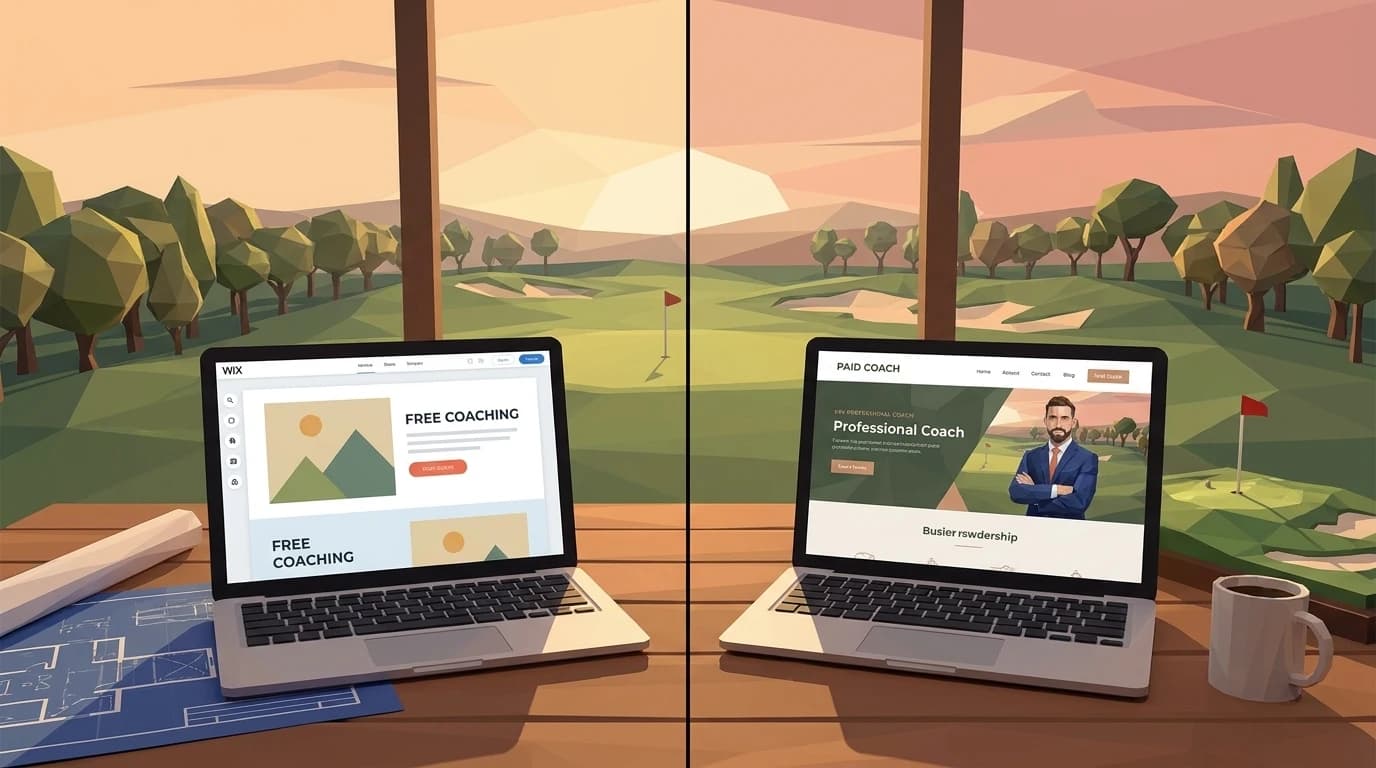
Mark teaches 28 lessons a week out of a public range in Phoenix. He's been doing it for eleven years, holds a PGA card, and has a waiting list from October through February. His website says "Mark's Golf Academy" in the header, lists three programs under a tab called "Services," and has a staff page with only his name and photo on it.
He called it an academy because he figured it sounded more professional.
It's costing him bookings.
Not because "academy" is a bad word. It's because the word creates an expectation — a team, structured programs, a curriculum — that a solo teacher can't fulfill. Parents clicking that site are reading for trust signals. What they find is a mismatch. Solo coaches who try to look like academies, and academies that undersell their depth, both lose people at the exact moment those people are ready to say yes.
The positioning decision comes before the design decision. Always.
The solo play — when your name IS the brand
If you teach alone — no associate instructors, no junior director, just you and your clients — your website is a personal brand. That's not a downgrade. It's actually the easier sell.
People book golf lessons the way they book a haircut. They want a specific person. Your name, your face, your voice in the copy, your story about why you started teaching. First-person throughout: "I work with…", "my students typically…", "here's what a first lesson with me looks like."
The mechanics that convert on a solo site:
- One booking link, above the fold, that goes directly to your calendar. Not a contact form. A calendar.
- Testimonials with names and context — not "great coach!" but "Mark helped me stop coming over the top in three sessions and I broke 80 for the first time in six years."
- A bio that sounds like a person wrote it. Your two-sentence PGA credential summary is not a bio. Tell me why you teach. Tell me what kind of student you're best with. That specificity builds more trust than any credential.
- One clear price or price range. Ambiguity here doesn't protect your rates — it just makes people click away.
The mistake I see solo coaches make constantly: they try to make the site look "bigger." Multiple programs, vague packages, corporate language. It doesn't make you look more legitimate. It makes you look like you're not sure what you sell.
The academy play — when the institution has to lead
Jen runs a 4-coach operation in suburban Atlanta. Her site needs to do something Mark's site can't — communicate that the organization has depth, not just any one instructor.
That means third-person copy ("Our coaches bring…", "The academy offers…"), a team roster with individual bios and specialties, and a structure that makes multi-program scheduling feel organized rather than overwhelming.
Academy sites that work:
- A clear program hierarchy. Beginner → Intermediate → Advanced, or by age group, or by goal (scoring vs. fundamentals). Whatever your actual categories are, name them plainly.
- Individual coach pages. Not a team photo with three names. Each coach gets their own bio, their credentials, maybe a short video. When a parent is choosing a junior instructor, they're vetting a person — give them the information to do that.
- Multi-tier pricing that has a visible logic. "Private with lead coach," "Semi-private," "Group clinic" — each with a price and a clear reason why someone would choose it.
- A "we" that feels real. The copy needs to sound like an institution, not a solo pro who added employees.
The failure mode here is the opposite of Mark's: an academy site that reads like one person's personal brand. If the "About" page is entirely about the head pro, and the team page feels like an afterthought, you're not communicating organizational depth. You're just confusing people.
The junior-program hybrid — programs, not personas
Laura coaches juniors out of a club in Pittsburgh and has built a 412-parent email list over six years. Her situation is genuinely different from both Mark and Jen — and her site needs to solve a different problem.
Junior program sites are making two simultaneous sales: to the parent and to the kid. Mostly to the parent.
Parent-concern copy leads everything. Safety protocols. Coach background check language. Age-appropriate curriculum. The specific age ranges you serve and what happens at each level. Pickup and drop-off logistics if you run camps. What happens on a rain day.
This is not the place for your LDA or USGA handicap index graphs. Parents aren't buying swing improvement. They're buying confidence that their 9-year-old is in a safe, structured environment with someone who actually likes teaching kids.
Age segmentation matters more than you think. "Junior programs ages 5–17" is not segmentation. That's a range so wide it tells a parent of a 6-year-old and a parent of a 15-year-old nothing useful. Break it out: Little Flyers (5–8), Junior Development (9–12), High School Prep (13–17). Give each group its own page or at least its own section. The copy for each group should address that group's parent, not a generalized "junior golfer."
The hybrid site Laura needs isn't quite solo, isn't quite academy. It's structured around programs rather than personas. The "about Laura" content is still there — parents absolutely want to know who's teaching their kid — but it sits inside a larger structure built around the programs themselves.
If you teach both juniors and adults out of the same practice, the structural question gets harder. The two-front-doors approach for mixed audiences is the deeper version of that decision. And for coaches running a junior program as the core business — not a side line — the playbook for junior coaches running their own programs is the cluster D pillar.
When to migrate from solo to academy structure (and how)
Most coaches who eventually migrate don't realize they should until six months after they should have. The site keeps saying "I" while the business has already become "we." Bookings leak. Parents get confused. The head coach feels stretched thin defending a solo brand around a team that's been hired.
Three signals trigger the migration. Any one of them is the warning. Two of them is the deadline.
- You've hired your first associate instructor. Not a contractor for one camp. A real second teacher whose calendar runs alongside yours.
- You're delegating 30% or more of lessons to that associate or to a junior director. Once a third of your revenue comes from someone else's hands, the solo framing breaks.
- Clients have started asking about "your team" — in emails, on intake calls, at the range. The language is the tell. They've already made the leap. You haven't.
Jen's academy has four coaches now. She just hired Sarah, a former college captain who's going to run the junior program. On Sarah's first day, Jen walks her around the practice facility, introduces her to the other coaches, and then says — half-joking — "and your bio goes on the website." Sarah asks where. Jen opens the site on her phone. There are three coaches listed. The About page still says "our team of three instructors." The last contractor who built the site disappeared in 2020, along with the WordPress admin password.
The migration timeline, when it's done right, is short — two to three weeks for the website restructure if the team page content is ready. The work isn't building a new site. The work is making positioning decisions about which coach is lead, which programs run under whose name, what the booking flow looks like when a prospect can pick a coach. Those decisions live upstream of the design.
For the structural detail underneath the positioning shift — what specifically goes where on the site — the spec coaches actually need is the cluster A pillar. Read it before you brief a designer.
Multi-coach navigation — the 3 patterns that work
Once the positioning is academy, the navigation has to carry it. There are exactly three patterns that ship well for multi-coach golf academies. We've shipped versions of all three. Here's which one fits which size.
| Pattern | Structure | Best for | |---|---|---| | (a) Flat coach roster | Top-level "Coaches" tab → list of coaches → individual coach pages | 2-4 coach academies where each coach is a near-equal draw | | (b) Programs-led | Top-level "Programs" tab → program landing → coach roster within each program | Academies organized by program (junior development, adult clinics, tour prep) more than by individual coach | | (c) Hybrid | Top-level "Our Coaches" link plus per-program pages — both surfaced in the main nav | 5+ coach academies where prospects search by coach AND by program |
Pattern (a) is the cleanest and the easiest to build. The risk is that prospects who came in through a program-specific search ("junior golf clinic Atlanta") have to back out to the coach roster, then forward to the right program. That's a click most prospects won't make.
Pattern (b) is what most working academies actually need. The prospect searches for "high school golf prep Atlanta," lands on the High School Prep page, sees the two coaches who run that program with one-paragraph bios. The decision happens in one screen. Then they book.
Pattern (c) is for the multi-program academies where neither coach-first nor program-first wins by default. The cost is a heavier nav. The benefit is two valid entry points for two different search behaviors. If you're under five coaches, this pattern is overkill — pick (a) or (b) first.
For coaches who want the booking question deeper — multi-coach scheduling, calendar handoffs, how the embed works on each pattern — the multi-coach booking question, deeper covers it. The cluster F pillar is the long version.
Pricing structure differences — what changes when you add coaches
Solo pricing is one rate, one booking link, one cancellation policy. Academy pricing is a structure. The difference is the difference between selling lessons and selling a system.
The mistake we see most: academy sites that show one price for "lessons" with a footnote that says "rates vary by coach." That's not pricing. That's a hidden rate. Parents reading it bounce because they can't tell what they'll be charged before they book. We've watched the inquiry rate move on the day the rate card goes up explicitly.
| Pricing dimension | Solo coach | Academy (3+ coaches) |
|---|---|---|
| Number of rates shown | 1 | 3-5 (lead, senior, associate, junior, group) |
| Booking flow | One link to one calendar | Coach selection → coach calendar |
| Package structure | Lessons-only or simple package | Membership + per-coach packages |
| Discount logic | Volume (5-pack, 10-pack) | Volume + family + multi-coach |
| Refund/cancellation policy | Single policy (one coach decides) | Policy applies academy-wide; published |
The lead-coach premium is the part most academies forget to publish. If your head coach is $150/lesson and your senior associate is $90, parents need to see both numbers. The premium is a feature, not a flaw — it tells the prospect that picking the head coach is the upgrade and picking the associate is the value play. Both bookings are good for the academy. The hidden version forces every prospect into the same conversation, which slows the pipeline and makes the head coach do the rate-quoting work.
For the actual numbers we charge — what $99/month buys when an academy hires us to handle the website — the team's full pricing math walks the line items.
The common mistake: trying to be both
This is where most coaches waste the most design budget and lose the most bookings.
The site that has a prominent "About Me" section with a first-person bio, and a team roster, and packages named things like "The Academy Method," and a personal testimonial section that says "What my students say" — that site is serving no one.
A new prospect lands on it and can't figure out what they're actually buying. Is this one person? Is it a team? Is it a franchise? The confusion creates friction. Friction kills conversions. The prospect closes the tab and texts someone else.
You have to pick. Even if the truth is somewhere in the middle — say, you have one part-time associate — pick the framing that fits the majority of your business. If 90% of your revenue comes from your own lessons, you're a solo coach. Frame it that way. Your associate gets mentioned as a bonus, not as a structural element of the navigation.
The cleaner the positioning, the faster the trust. That's not marketing theory. It's just what happens when you stop making people work to understand what you do.
A 10-minute audit — 5 things to check on your current site
Before you redesign anything, spend 10 minutes on this:
- Does your header say "I" or "we" — and does that match reality? Pick one and be accurate.
- Is there a booking link in the first screen someone sees? Not a link to a "contact" page. A link to a calendar or intake form.
- Do your testimonials name a specific result? "Great instructor" is noise. "Dropped 8 strokes in one season" is signal.
- Does your pricing require an email to unlock? If so, you're filtering out the people who were almost convinced. Put a number on the page.
- Does your About page read like a person or a press release? Read it out loud. If you wouldn't say it to a stranger in the parking lot, rewrite it.
None of this requires a redesign. It requires a positioning decision. Once you know whether you're Mark or Jen or Laura, the design almost writes itself.
The positioning decision is the design decision
The most common thing I hear from coaches before a build: "I just want something clean and professional." That's not a brief. That's a placeholder.
What we actually need to know first: who are you positioning as? What does a typical new client look like? What's the one thing you want them to do when they land on your site?
For layout specifics — what goes in the hero, how to order the sections, where booking links should sit — this breakdown on golf coach homepage structure is worth a read before you start thinking about design.
If you want to talk through which framing fits your specific situation before committing to anything, book 15 minutes here. No pitch. We'll ask you a few questions and tell you what we'd do if we were you.
Mark built a new site last spring. It says his name, shows his face, lists two simple packages, and has a "Book a lesson" button in the header. His inquiry rate went up 40% in the first month.
He still teaches at the same public range in Phoenix.
Frequently asked questions
Only if the structure backs it up. The word 'academy' creates expectation — a team, structured programs, third-person voice, individual coach pages. If you're a solo coach using the word for credibility, the mismatch costs you bookings the same way Mark's site cost him bookings. Call it what it is. A solo practice with your name on it converts at a higher rate than a fake academy with three programs and one teacher.
Three patterns ship well: a flat coach roster (best for 2-4 coach academies), programs-led navigation (best for academies organized around junior development or tour prep more than around the individual coach), and a hybrid that surfaces both coaches and programs in the main nav (best for 5+ coach operations). Pick the one that matches how prospects search for you. If they search for the program first, lead with programs. If they ask for a coach by name, lead with coaches.
Three signals trigger the migration. You've hired your first real associate instructor, not a one-camp contractor. You're delegating 30% or more of lessons to that associate. And clients have started asking about 'your team' in emails or on the range. Any one of them is a warning. Two of them is the deadline. The work itself takes two to three weeks if the team page content is ready — the slow part is the positioning decisions, not the design.
Possible, but tricky. The honest answer is usually no — unless the academy is a clear secondary product line and the solo lessons are 80%+ of revenue. If you teach both juniors and adults out of one practice, the two-front-doors approach is the better structural answer than trying to merge solo and academy framings. It's a different problem than scaling from solo to academy, and it has a cleaner solution.
Solo pricing is one rate, one calendar, one policy. Academy pricing is a structure — lead-coach rate, senior associate rate, junior associate rate, plus group and family options where they apply. The mistake we see most is academy sites that say 'rates vary by coach' with no numbers. Parents bounce on hidden pricing. Show every rate. The lead-coach premium is a feature, not a flaw — it tells prospects which coach is the upgrade and which is the value play.
Yes, and most coaches get this wrong on the migration. Solo testimonials name YOU specifically — 'Mark helped me break 80.' Academy testimonials should name the coach AND the program — 'Coach Sarah's high school prep group helped my daughter qualify for state.' If you migrate from solo to academy and bring all your old solo testimonials over without rewriting them, the team page reads like the head coach has all the wins and everyone else is decoration. Sort the testimonials onto the right pages.
Last updated .
Keep reading